

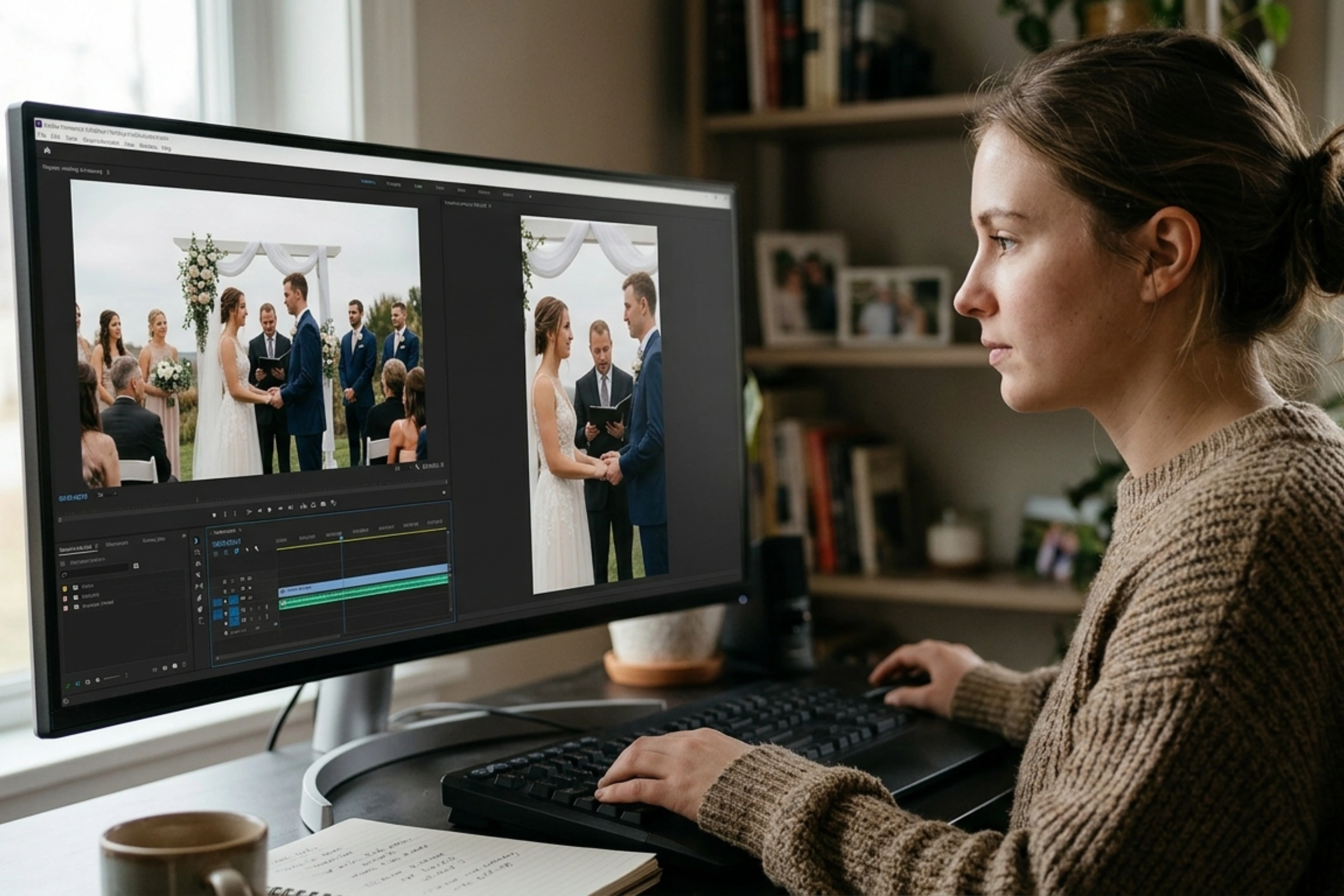
Wedding videographers capture most ceremony moments and celebrations in landscape format. But clients in the United States also want vertical videos for Instagram Reels and other mobile-friendly social media platforms. The difference between horizontal wedding film and vertical reel is the aspect ratio. But this format change can take a lot from the wedding film: expression, aesthetic background, and cinematic feel. That is why it requires careful reframing, shot selection, motion tracking, and timeline adjustments to preserve the emotional and visual impact.
Motion Edits’ white-label wedding video editing services in the United States adapt the composition and storytelling to a new format without compromising crucial moments.
Explore Our Wedding Video Editing
Horizontal And Vertical Outsourced Wedding Video Editing
Understand the Technical Differences
The standard aspect ratio for horizontal wedding films is 16:9, whereas the standard ratio for vertical reels is 9:16. Cropping a landscape video to a portrait removes a significant portion of the frame, potentially cutting out the bride, groom, family members, or key ceremony details.
| Editing element | Horizontal wedding film | Vertical wedding reel |
| Composition | Uses width to display various subjects and environments. | Gives a central topic or vertical arrangement priority. |
| Framing | Allows for group coverage and wide shots. | Requires tighter framing and careful cropping |
| Camera movement | Able to support sweeping shots and lateral movement | Subject tracking and modified crop movement are frequently required. |
| Storytelling | Permits establishing shots and longer scenes. | Usually gains from succinct, targeted sequences |
| Text placement | Additional horizontal space for titles | Requires vertical safe zones and mobile readability |
We Reframe Footage Instead of Applying a Centre Crop
When a single subject is in the center of the frame, a center crop can work well, but when the couple moves across the frame, or there are several people in the frame, it usually doesn’t work.
Editors can use Auto Reframe to get started or create a 9:16 sequence in Adobe Premiere Pro and modify the Motion controls. DaVinci Resolve’s Inspector and reframing controls allow editors to modify vertical timeline positioning and scaling.
Professional tip: After reframing, review each shot. When the couple moves, keyframe the crop position so faces, hands, wedding rings, and ceremony details are still visible. Automated tracking can streamline the process, but it should not replace manual quality checks.
Our Editor Cuts and Transitions for Horizontal vs. Vertical Wedding Videos
Wedding films’ emotions and tempo are shaped by cuts and transitions. Vows and reactions feel more natural when audio is connected between scenes using L-cuts and J-cuts. While jump cuts produce quicker, more dynamic montages, match cuts connect similar movements or details. Cuts on action preserve fluid movement between camera angles, while cross-cutting depicts parallel moments, like the bride and groom getting ready. While vertical wedding films benefit from tighter framing, faster cuts, and concentrated visual connections, horizontal wedding films frequently use wider compositions and longer transitions to tell a story. Select methods that don’t distract viewers while maintaining the emotion of the moment.
We Adapt Camera Movement and Shot Selection
Animated reframing may be required to follow the subject in horizontal footage with lateral movement. Shorten the shot or adjust the camera angle if the subject strays too far outside the crop.
When the frame is cropped vertically, wide-angle photos of venues, mandaps, and big family get-togethers may lose context. We use these images sparingly, or mix them with up-close views of the couple, rituals, details, and expressions.
Depending on the source resolution, framing, and scaling, a moderate crop of 4K footage might offer sufficient detail for a 1080 × 1920 export. Steer clear of over-enlargement, as it can lessen sharpness.
We Rebuild the Edit for Vertical Storytelling
Our wedding movie editor will rework the scene to focus on a particular moment or feeling, like the couple’s first glance, the varmala exchange, or a touching family response.
Use natural audio, reaction shots, music synchronization, and tighter cuts to keep viewers interested. Make sure that faces and crucial information are visible on mobile screens, and keep captions and titles away from interface overlays. In both versions, keep the original skin tones and color grade.
We Check Export Settings Before Delivery
Use a 9:16 aspect ratio at 1080 × 1920 pixels for a typical vertical social media deliverable. Choose the right bitrate and codec for the platform after matching the frame rate to the intended delivery and source footage. Examine the final export for problems with text placement, audio sync, cropping, and compression artifacts.
Studios can create multiple reels from the same wedding with a repeatable workflow, increasing consistency and cutting down on revision time. When internal teams have seasonal workloads, a professional wedding video editor can help manage high-volume deliverables.
Conclusion
Important moments are preserved while turning horizontal wedding films into vertical reels. The story is modified for mobile viewing through careful reframing, subject tracking, shot selection, and timeline adjustments. A specialized vertical editing workflow for wedding videographers guarantees that each reel retains emotional impact and visual quality. White Label wedding video editing services from Motion Edits in the United States can help studios manage heavier workloads, maintain consistency, and produce polished wedding films and social media reels on time when multiple deliverables become time-consuming.
Explore Our Wedding Video Editing
Frequently Asked Questions By Wedding Videographers
1. Should wedding videographers edit vertical reels separately from horizontal wedding films?
Yes, most of the time. Editors can alter shot selection, pacing, framing, captions, and storytelling for mobile viewing with a special vertical edit.
2. Can 4K horizontal wedding footage be cropped into a vertical 1080p reel?
Yes, but the outcome is dependent on the initial framing and resolution. Therefore, some enlargement is required, so make sure it’s sharp and don’t crop too much.
3. How do you convert a horizontal wedding video into a vertical reel?
Motion Edits’ Wedding film editor reframes each shot to 9:16. So that key subjects are visible, use keyframes to adjust crop positioning when needed, and then examine the final export at 1080 × 1920 pixels.
4. Which software is best for converting wedding films into vertical videos?
DaVinci Resolve and Adobe Premiere Pro are good choices for professionals. The editor’s workflow and the project needs decide the best option.
5. How do you avoid cropping out important moments in vertical wedding reels?
We examine each shot separately, monitor moving subjects, manually adjust the crop, and use tighter shots or different camera angles.


